DOOM runs in ChatGPT and Claude
Apr 17, 2026
AIGame developmentCreationMCPI made a playable DOOM MCP app that can launch inline inside compatible AI clients like ChatGPT and Claude, and falls back to a browser URL everywhere else.
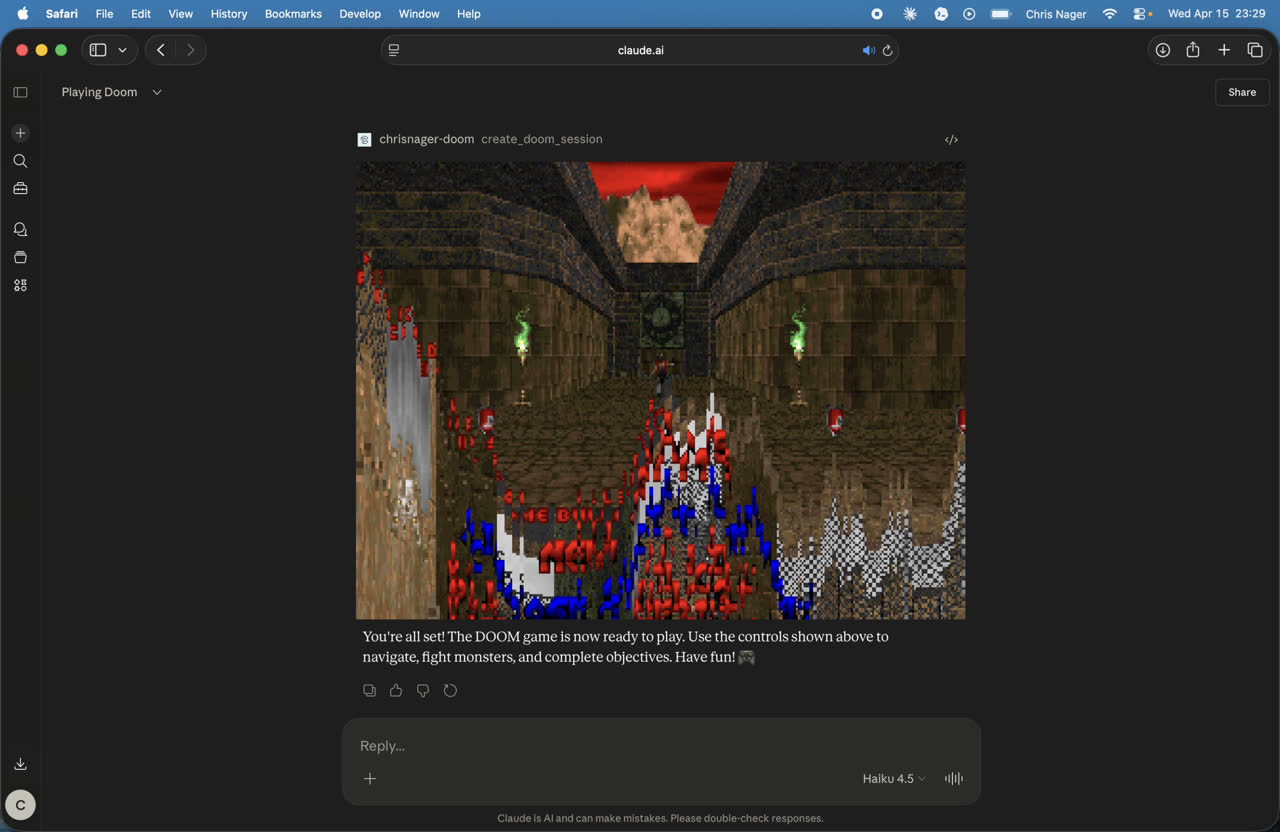 DOOM running on Claude web
MCP apps are "interactive UI applications that render inside MCP hosts like Claude Desktop."
The final version is intentionally lean:
- one MCP tool to create a DOOM session inline
- one MCP tool to return a plain launch URL
- one browser route at
/doom/play - one signed-token flow that works in both places
There’s something delightful about taking a protocol designed for tools and structured interactions, and asking: “can it run DOOM?”
DOOM running on Claude webThe basic idea
MCP apps are a progressive enhancement. So the app has two jobs:
- Start a DOOM session in an MCP app view when the host supports inline UI
- Return a normal launch URL when the host doesn’t
A lot of the work was not “can I make DOOM run in a browser?” That part is well-trodden territory. The harder part was making the same session work across different clients with different rules around iframes, CSP, and UI rendering.
So the architecture ended up fairly simple:
- a small MCP server
- a browser DOOM shell
- a signed token passed through the launch URL
- a Netlify deployment for
/doom/*and/doom/mcp
Starting with DOOM in the browser
The browser side uses cloudflare/doom-wasm, which gave me a real DOOM runtime in the browser without needing to build the engine from scratch.
I wired that into my site, gave it a dedicated /doom/play route, and used Freedoom Phase 1 as the default content so the project stayed redistributable.
The first version was a browser shell. It loaded the runtime, mounted a canvas, and launched DOOM.
Once the basic browser route worked, I had a stable foundation:
- browser page
- working DOOM runtime
- signed launch URL concept
- Freedoom as the default content
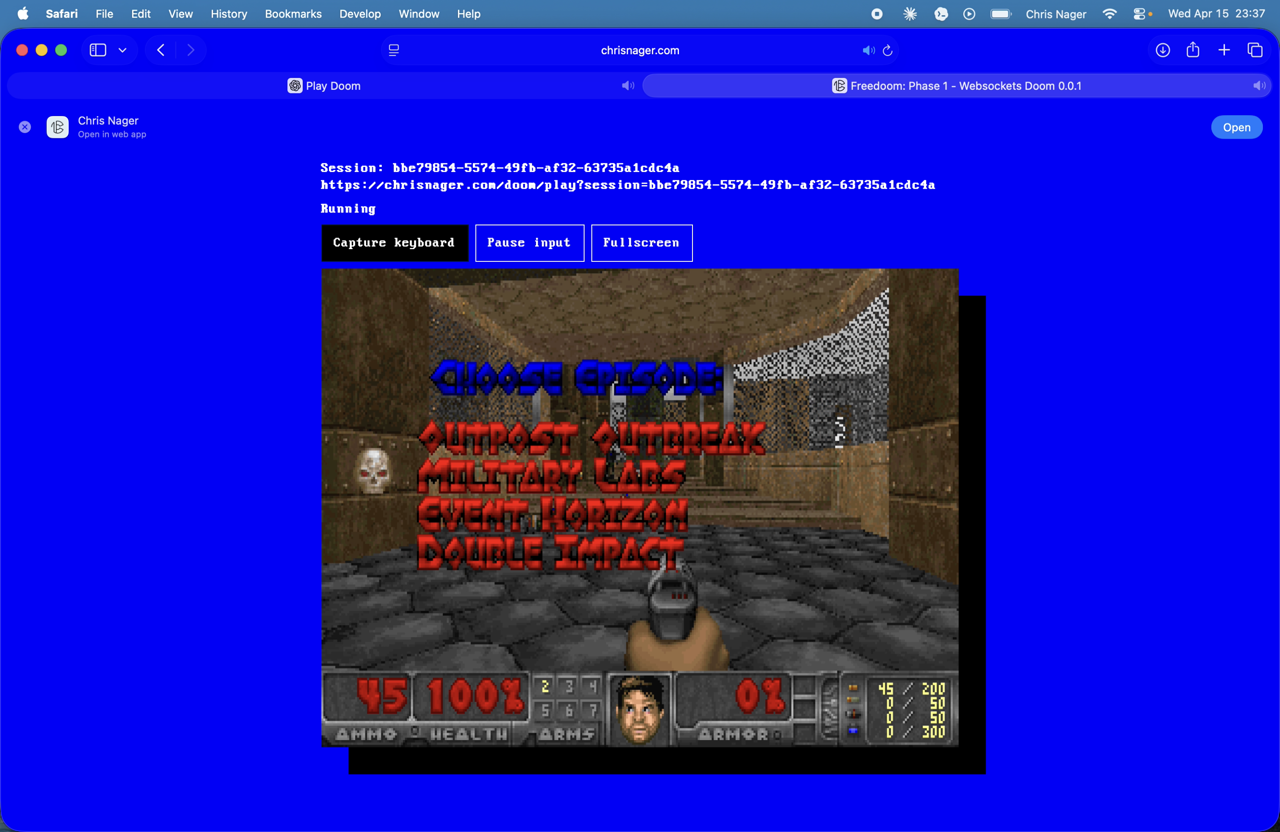 DOOM running on chrisnager.com/doom/play
Adding MCP
From there I added a TypeScript MCP server.
The first goal was straightforward: expose a tool that creates a DOOM session and returns a signed launch URL. That became create_doom_session.
Later I added get_doom_launch_url as a simpler fallback for clients that aren’t able to render the inline app UI.
The important design decision here was to keep the launch path self-contained. The signed token in the URL is enough to boot the game. That meant the browser route didn’t have to depend on server-side session persistence just to start playing.
That turned out to be the right tradeoff.
The part that got weird: inline app rendering
Launching a URL is easy. Rendering DOOM inline inside an MCP app is where things got interesting.
The first embedded versions were messy. I had a nested iframe setup at one point, which looked reasonable on paper and then immediately ran into the reality of browser security policies, host CSPs, and embed restrictions.
Some hosts would successfully call the tool and produce a URL, but the inline app would fail for reasons that had nothing to do with DOOM and everything to do with how the host allowed content to frame other content.
So I reworked the MCP app UI to be more direct.
Instead of treating the app view as a shell around another frame, I made the DOOM canvas run directly inside the host iframe. That removed a whole class of problems:
- nested iframe issues
- frame-src problems
- extra navigation assumptions
- more fragile host-specific behavior
That was the biggest conceptual shift in the project. Once I stopped trying to embed a browser page inside the MCP app, and instead treated the MCP app as the browser page, things got much cleaner.
DOOM running on web from Codex terminalNetlify and the deployment path
I wanted everything hosted under the main site, so the deployment target became:
/doom/play/doom/mcp
That meant adapting the project to Netlify’s model and making sure the static DOOM assets and the MCP server could coexist cleanly.
The app now lives under chrisnager.com/doom/*, and the DOOM-specific pieces are namespaced accordingly. That cleanup was worth doing. It made the repo easier to reason about, and it stopped the DOOM work from feeling like it was bleeding into the rest of the site.
Debugging the ugly parts
A lot of the work was not glamorous.
There were several rounds of debugging around:
- broken launch origins
- WAD paths resolving from the wrong place
- browser-side token bootstrap importing the wrong code
- Netlify function packaging
- CSP failures in embedded hosts
- blob-backed preload behavior inside the app iframe
One particularly annoying class of bugs came from content paths. The app would work fine in one environment, then try to load the WAD from the wrong origin or under the wrong route in another.
I eventually removed the blob-backed preload path and wrote the WAD/config directly into the Emscripten filesystem. That reduced the moving parts and made the inline app path more reliable.
Simplifying the whole thing
At one point the project had more features:
- save/load
- status reporting
- screenshots
- persistence adapters
- server-verified bootstrap flow
I cut just about all of that. The project is much more stable now that it’s smaller.
The final shape is focused:
create_doom_sessionfor inline-capable hostsget_doom_launch_urlfor fallback clients/doom/play?token=...for browser playback
It’s enough to be fun, technically interesting, and actually usable.
DOOM running on Claude macOSWhat works now
The current version can:
- launch DOOM inline in MCP app views for hosts that support it
- return a normal browser URL everywhere else
- run from the same signed-token session model in both cases
- stay self-contained enough that the browser path does not need durable storage to start
That last point matters. If the “play DOOM” path depends on a bunch of server state before a user sees anything, it stops being playful and starts being infrastructure. I wanted playful.
Why build this?
MCP apps are new and interesting, I’m fascinated by the constraints of early computer game design, and it’s always fun to see DOOM ported to new surfaces.
This side project forced me to think clearly about what an MCP app actually is. Not just a tool that returns JSON, but a real interactive surface with all the same constraints as the web: layout, focus, asset loading, input, and security boundaries.
The combination of protocol design and browser quirks is a fun problem to solve.
DOOM running on ChatGPT webFinal thoughts
My favorite part of this project is it ends in a simple interaction.
You ask for DOOM. The tool creates a session. The app opens inline if it can. If it can’t, you still get a launch URL and the game still works.
I achieved what I set out to do: not maximal features, just a crisp idea carried all the way through.
This project is proof that ChatGPT and Claude can run DOOM.
See the source code.
Bonus side effect
DOOM partially runs on ChatGPT and Claude iOS apps.
DOOM partially running on ChatGPT iOS and Claude iOSUpdate (Apr 28, 2026)
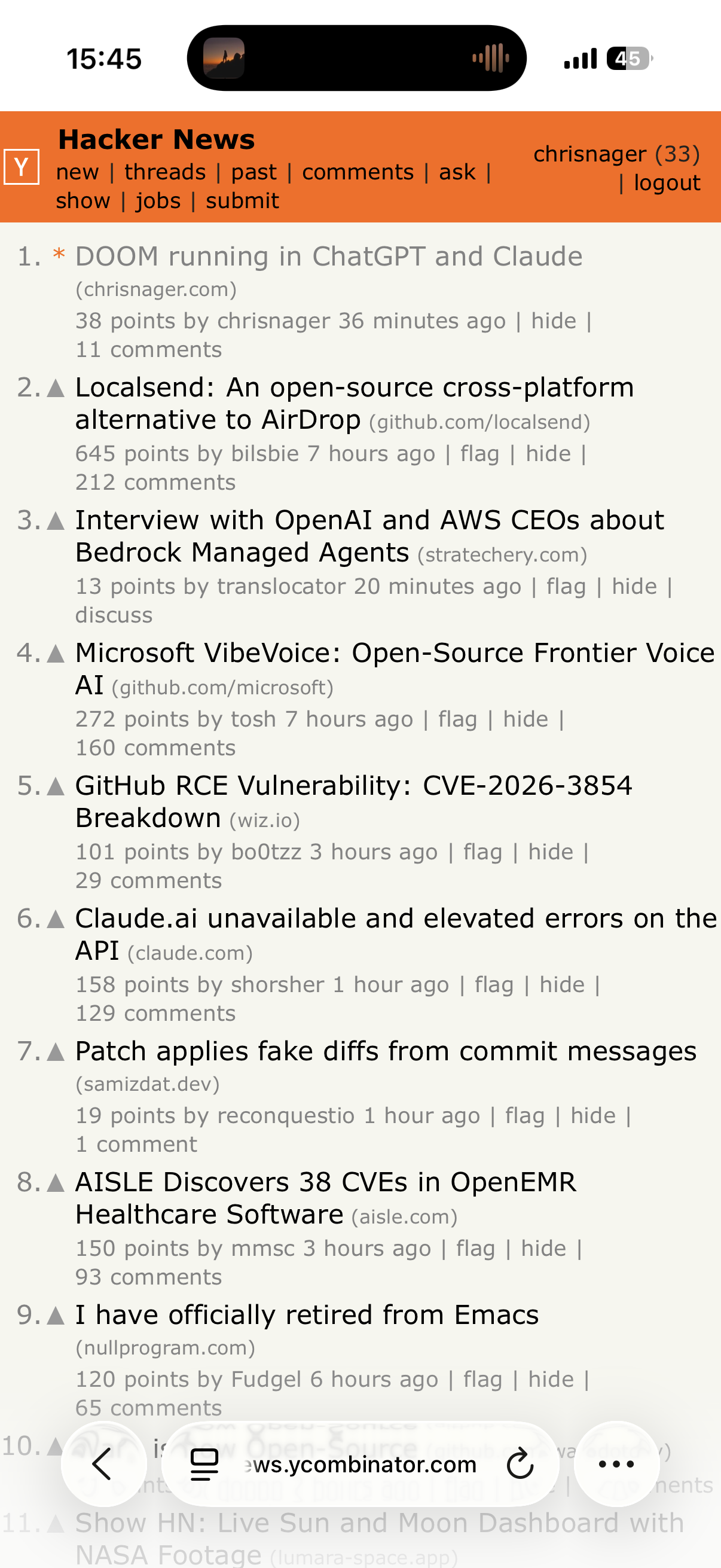
This post hit the #1 spot on Y Combinator's Hacker News.